Sell 1:1 calls and bookings
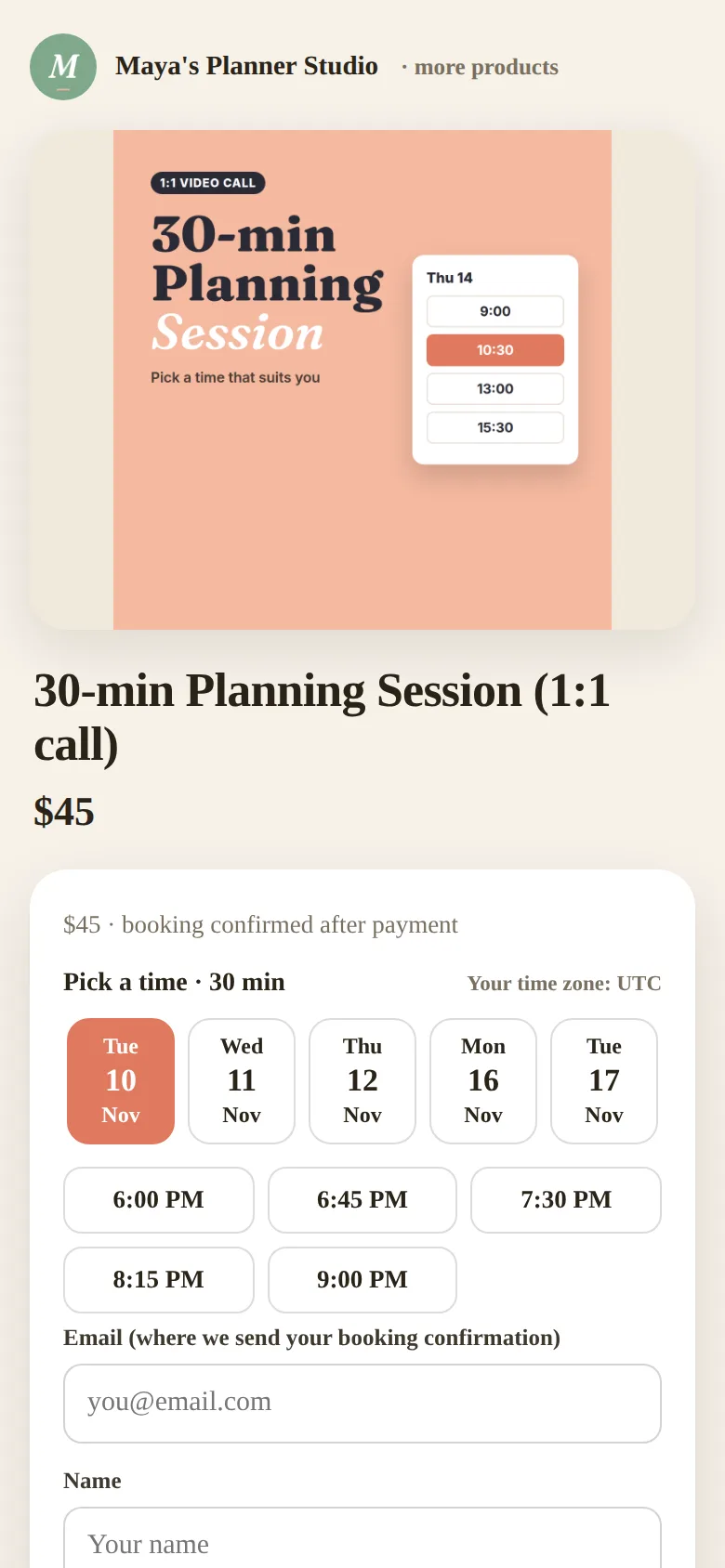
Buyers pick a time in their own time zone, pay (or book free) and get a calendar invite. No double bookings.
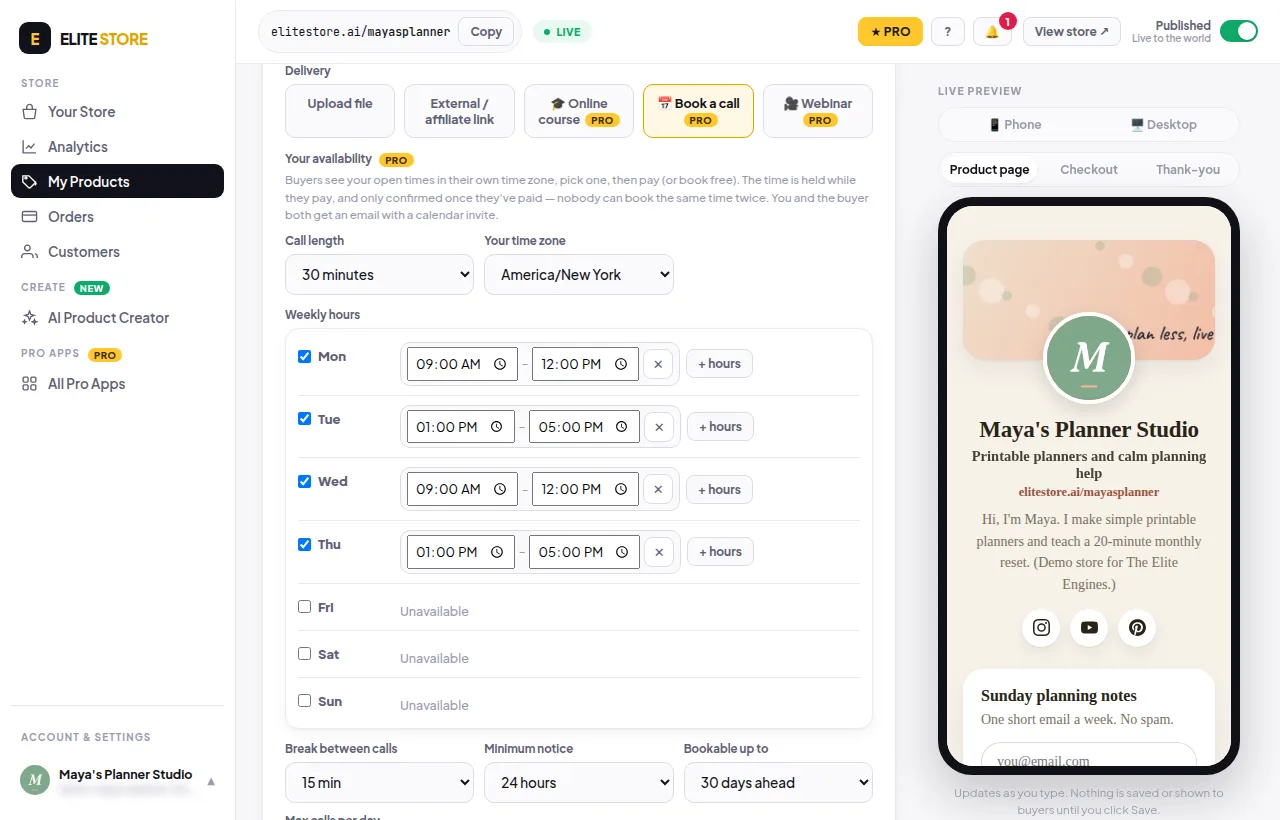
- Click + Add product and pick Book a call.
- Choose the Call length (15 to 90 minutes) and Your time zone.
- Set your Weekly hours for each day.
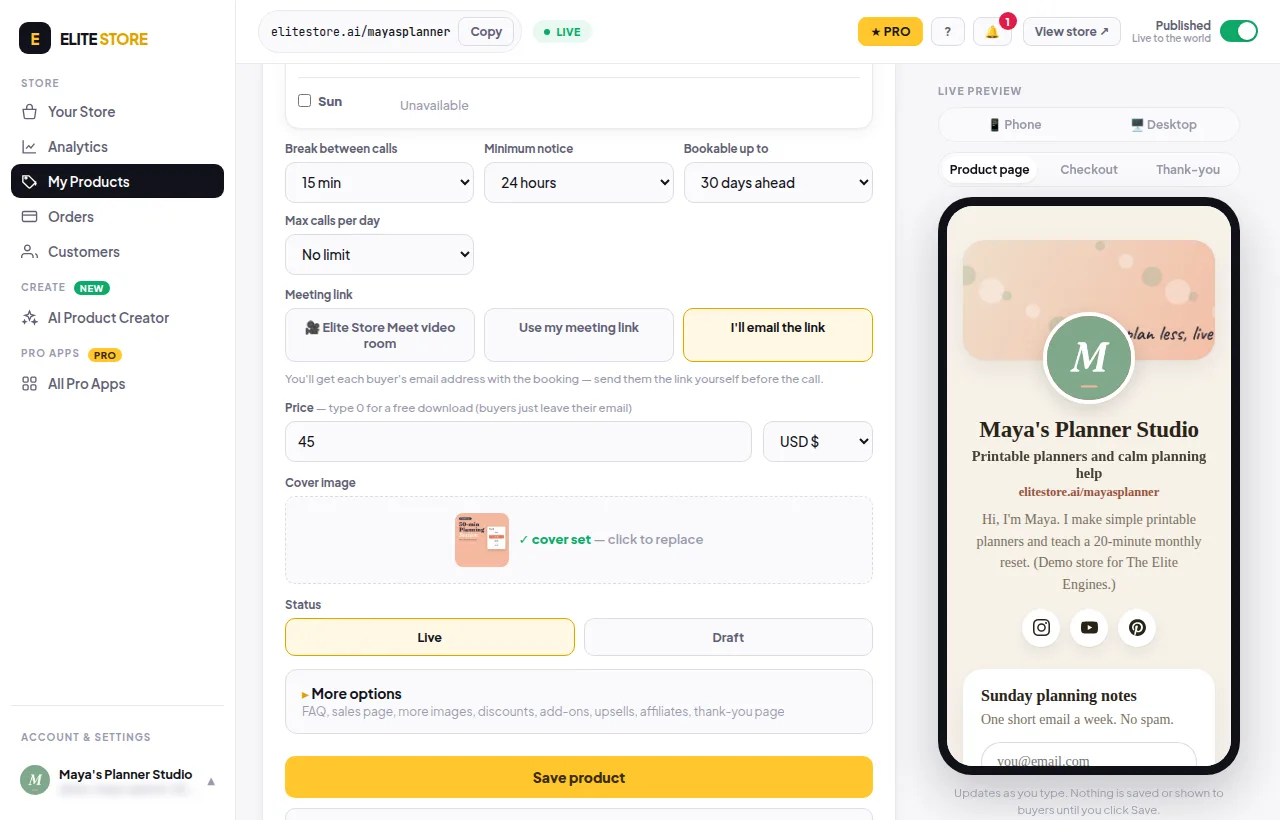
- Optional: a break between calls, minimum notice, how far ahead people can book and a maximum number of calls per day.
- Pick the Meeting link: Elite Store Meet video room, Use my meeting link (must start with https://) or I’ll email the link.
- Add a price (0 for a free call), a cover, set it to Live and save.
The time is held while the buyer pays and only confirmed once they’ve paid, so nobody can book the same time twice. You and the buyer both get an email with a calendar invite. See every call in Bookings.
💡
With Elite Store Meet, each booking gets its own private video room. No Zoom or Google account needed. The room opens 15 minutes before the call and works in the browser on phone and laptop.
⚠️
Cancelling a call frees the time and emails the buyer. It does not refund them. Refund paid buyers from Orders.
Was this helpful?Thanks for letting us know.
Questions? Email [email protected].