Connect Razorpay (UPI, India)
Paste your Razorpay Key ID and Key Secret to accept UPI, cards, netbanking and wallets in India.
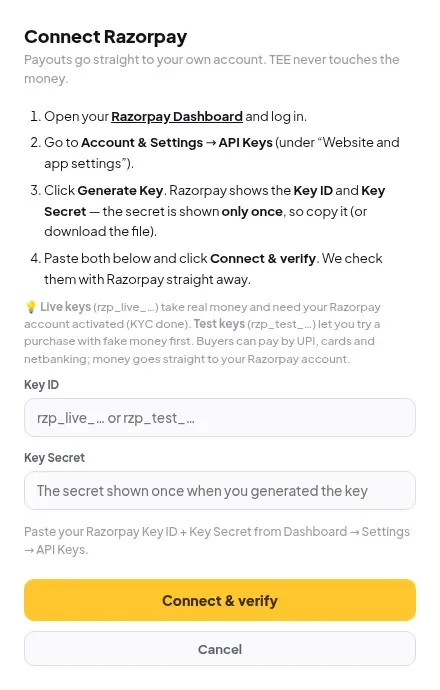
- Open your Razorpay Dashboard and sign in.
- Go to Account & Settings → API Keys.
- Click Generate Key. Copy the Key ID and Key Secret. The secret is shown only once.
- In Elite Store, go to Store settings → Payments and click Connect Razorpay.
- Paste both and click Connect & verify.
💡
Live keys (
rzp_live_…) take real money and need your Razorpay account activated. Test keys (rzp_test_…) let you try a purchase with fake money first.⚠️
Razorpay takes rupees. Price the product in INR, or add a Price in ₹ for Razorpay/UPI under More options. Otherwise buyers won’t see UPI for that product. See UPI not showing.
Was this helpful?Thanks for letting us know.
Questions? Email [email protected].