Choose a theme, colour and font
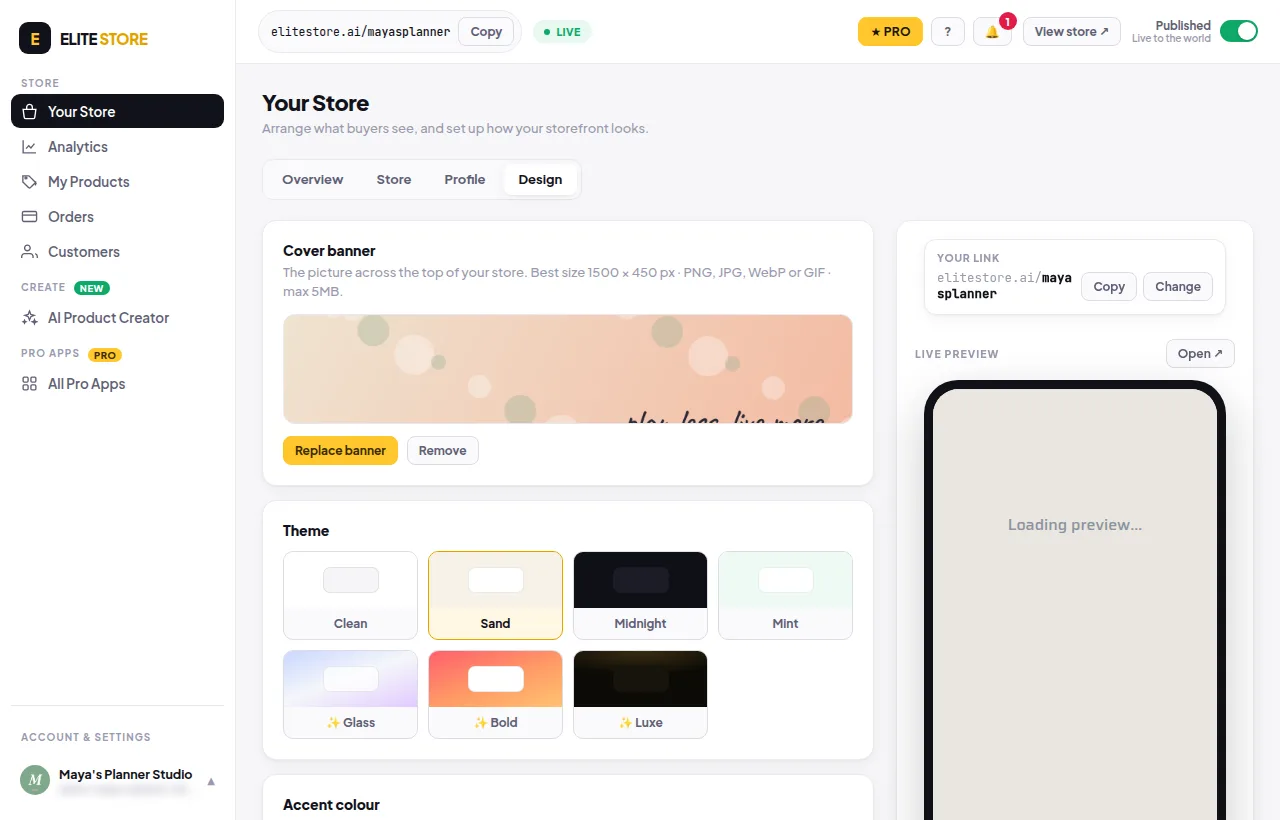
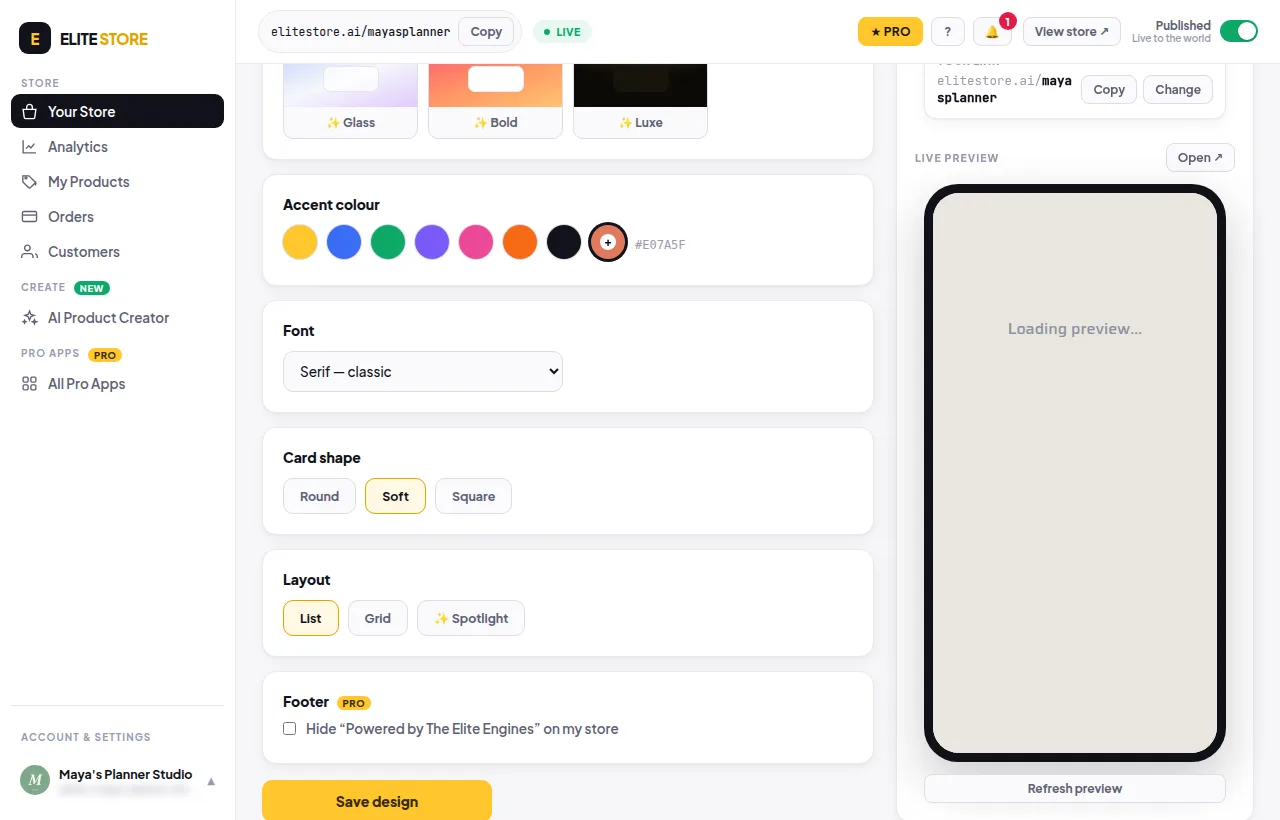
Pick a theme, accent colour, font and card shape in Your Store → Design. Glass, Bold, Luxe and custom colours are Pro.
- Go to Your Store → Design.
- Click a Theme: Clean, Sand, Midnight or Mint. Glass, Bold and Luxe are Pro.
- Pick an Accent colour for buttons, prices and links. The colour picker for any colour is Pro.
- Pick a Font: Plus Jakarta Sans, Inter, Serif or Mono.
- Pick a Card shape: Round, Soft or Square.
- Click Save design. Unsaved changes are lost if you leave.
⭐
On the Free plan, premium looks fall back to standard ones on your public store. Nothing is lost if you upgrade later. Compare plans
Was this helpful?Thanks for letting us know.
Questions? Email [email protected].