A product isn’t showing on my store
Check the product is Live, the store is Published, it isn’t hidden from the list and you’re within the Free plan’s 3 products.
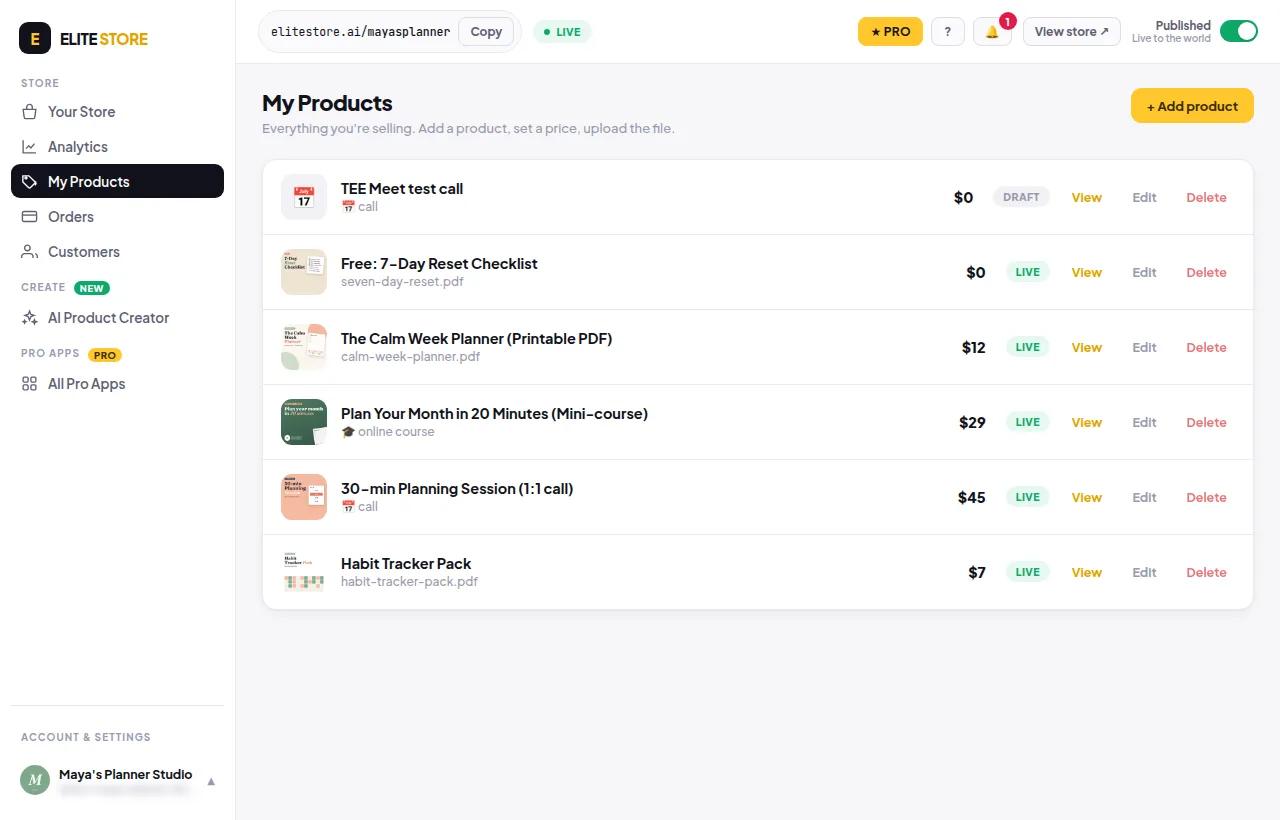
- Open My Products and check the product says Live, not Draft.
- Check your store is Published (switch at the top right).
- Edit the product and check Hide from my store’s product list is not ticked.
- On the Free plan, only your first 3 products show. Reorder them on Your Store → Store, or upgrade to Pro.
- Courses, calls and webinars can only be bought from Pro stores.
Was this helpful?Thanks for letting us know.
Questions? Email [email protected].