Choose your notifications and buyer emails
Email buyers their download, get sale alerts, and let buyers sign in to see their purchases.
- Go to Store settings → Notifications.
- Choose your switches (below).
- Click Save notifications.
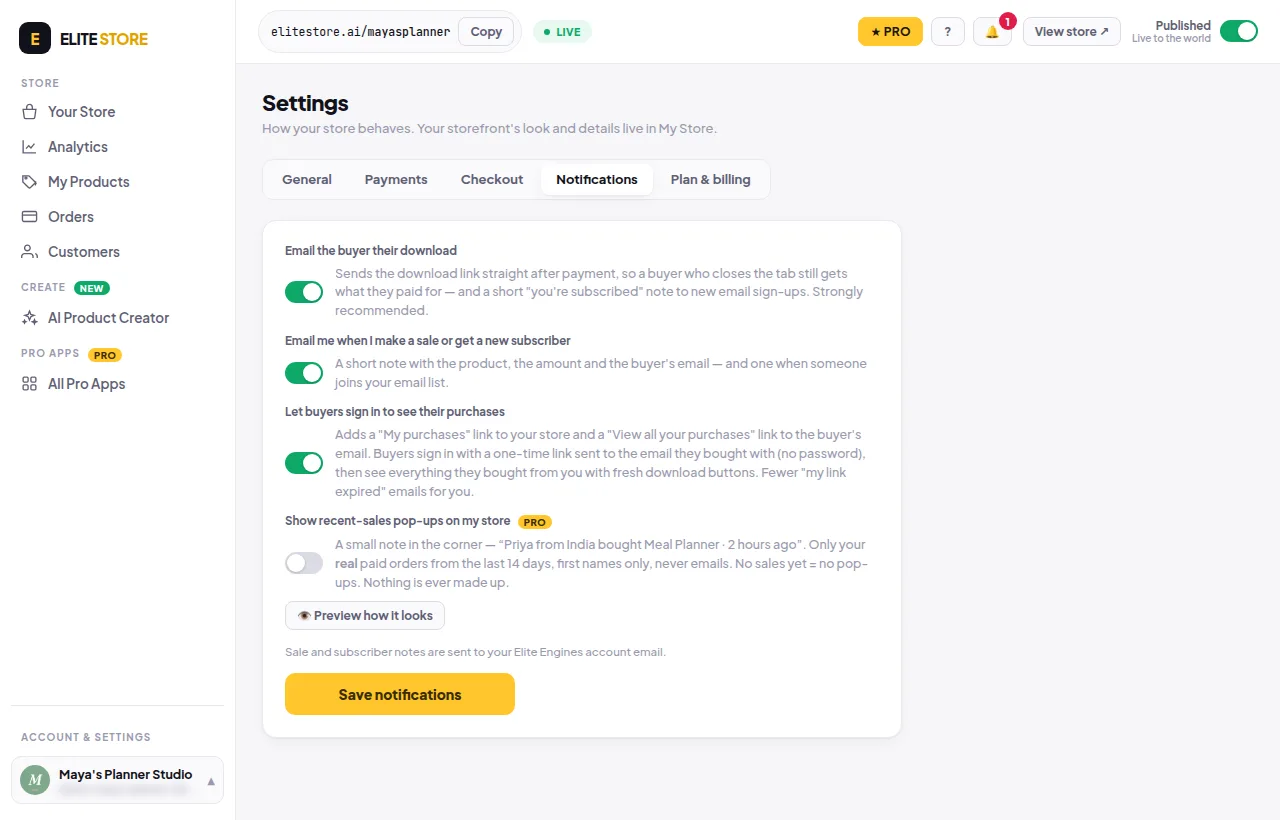
- Email the buyer their download: sends the link straight after payment, so a buyer who closes the tab still gets it. Strongly recommended.
- Email me when I make a sale or get a new subscriber: sent to your Elite Engines account email.
- Let buyers sign in to see their purchases: adds a “My purchases” link to your store. Buyers sign in with a one-time link, no password.
- Show recent-sales pop-ups (Pro): see Sales pop-ups.
Was this helpful?Thanks for letting us know.
Questions? Email [email protected].