Create discount codes
Make % or $ off codes for one product or your whole store, with use limits, end dates and a share link.
- Save the product first, then click Edit on it and open More options.
- Under Discount codes, type the code (at least 3 letters or numbers), the amount and % off or $ off.
- Optional: Max uses and an expiry date. Tick Works on all my products for a store-wide code.
- Click Add code.
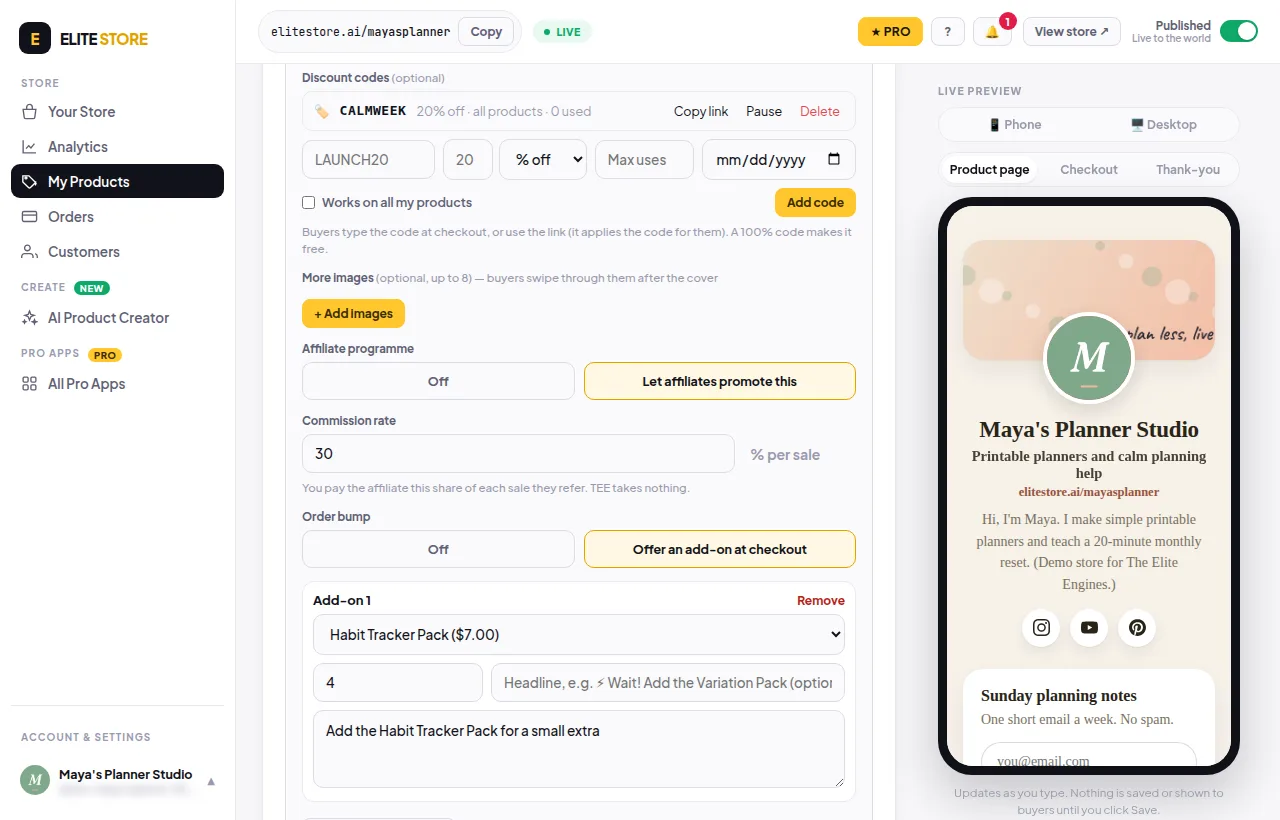
Copy link gives you a link like elitestore.ai/yourname?code=LAUNCH20 that applies the code for the buyer. Pause switches a code off for now, Delete removes it.
- Codes take money off the product, not off add-ons.
- A 100% code makes the product free.
- A total between 1¢ and 49¢ is refused. Make it free or leave at least 50¢.
- Uses count only paid orders.
- Codes don’t work on free products.
⭐
Discount codes are an Elite Store Pro feature. Compare plans
Was this helpful?Thanks for letting us know.
Questions? Email [email protected].